|
These mapping types deal with multi-line (Header detail) documents by using loops.
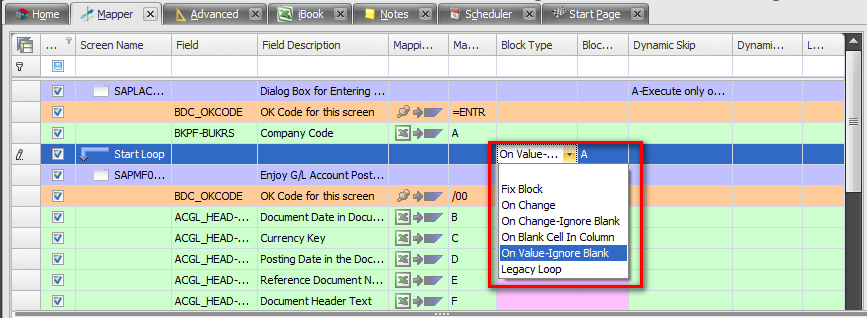
There are 6 different ways to tell Process Runner how your Excel data is organized for multi line document. Different mapping type allows using Excel data as you have - without forcing you to change them.
Notes: 1. There are two fields to map for Header-Detail looping - one is Block Type and another is Block Value. These two fields are over and above regular mapping fields. These fields are used together to tell Process Runner how data in Excel file is arranged.
2. You maintain "Block Type" and "Block Value" in same row as "Start Loop".
|
Where you know that number of detail rows are always fix, say 2 rows
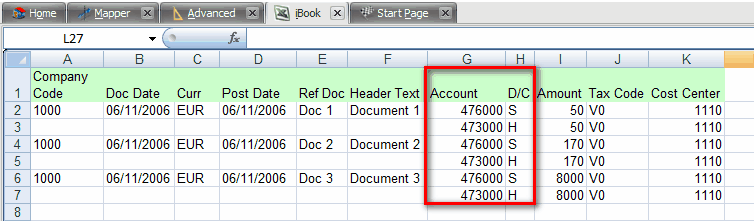
Mapping should look like:

|
In this type, Process Runner automatically determines new transaction when value changes. For example, you have Document number repeated for each line in column E, You can use this mapping type and every time there is new Document number, Process Runner will start a new Header-Detail transaction automatically.
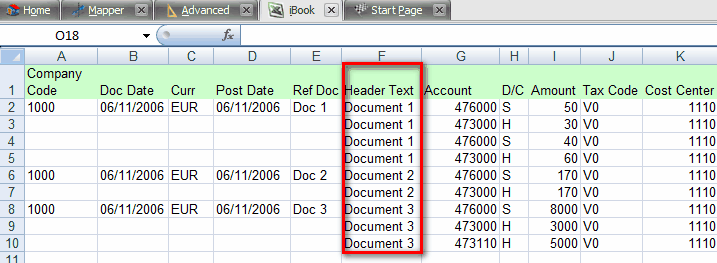
Mapping should look like:

|
Same as 2, but instead of repeating Document number, you have blanks between Document numbers. Since a blank is a change, you want to tell Process Runner to ignore blank for considering them as a change. With this mapping type, Process Runner will ignore those blank and will repeated new Header-Detail transaction when it encounters new Document number in column E.
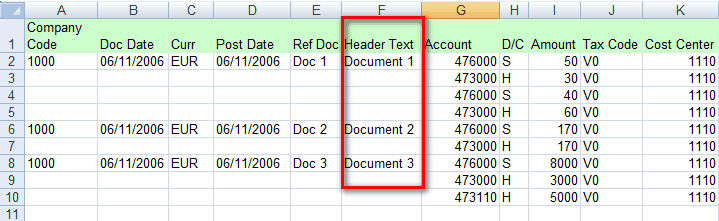
Mapping should look like:

|
For example, you are separating Header-Detail block by placing a blank line between each block of Header-Detail transaction. You can use this mapping type and anytime Process Runner encounters a Blank Cell in mapped column, it will automatically start new Header-Detail transaction.
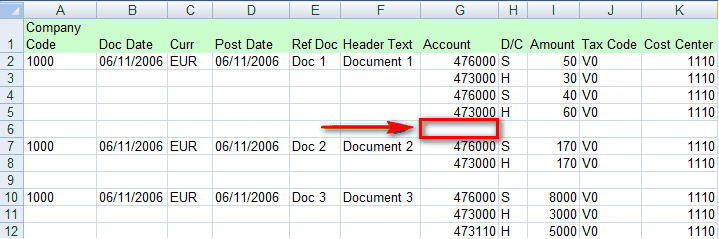
Mapping should look like:
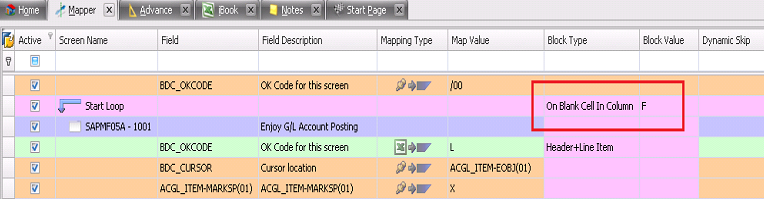
|
Since a blank is a change, you want to tell Process Runner to ignore blank for considering them as a change.With this mapping type,Process Runner will ignore those blank and start a new loop when it encounters a value in column A.
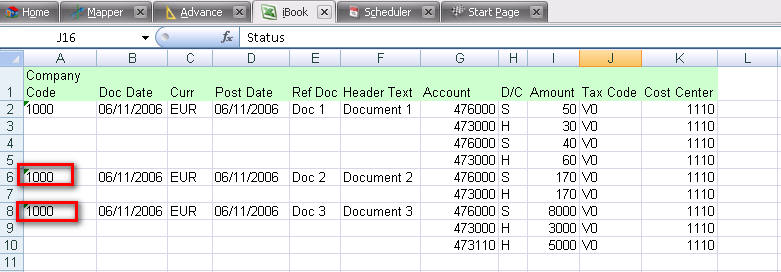
Mapping should look like:
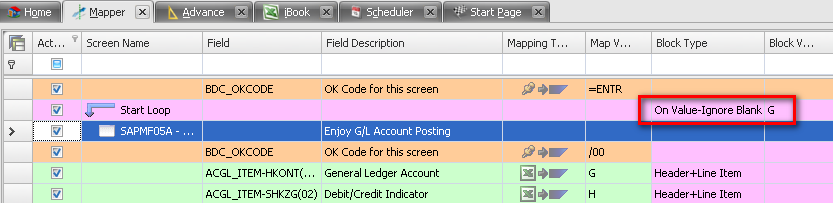
|
Additionally to above mentioned methods, you can also specify which rows to be used as header and which to use as a detail in a separate column. As shown below, Headers are named as H and detail as D. You can give any user defined names to header-detail items instead of just H & D.
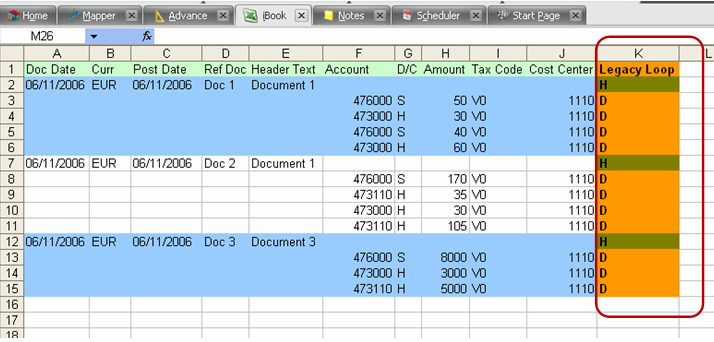
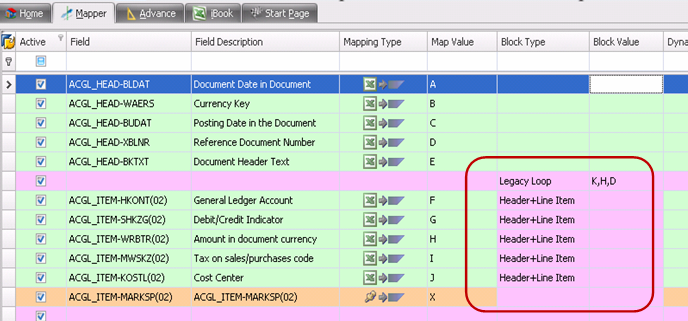
In mapper below, K indicates the Legacy loop column & H and D indicate Header & detail items respectively.
|
Next:
Transaction - Block Types for Looping
|


