Running License Server as a Service


Running License Server as a Service |
|
|
Follow the steps given below:
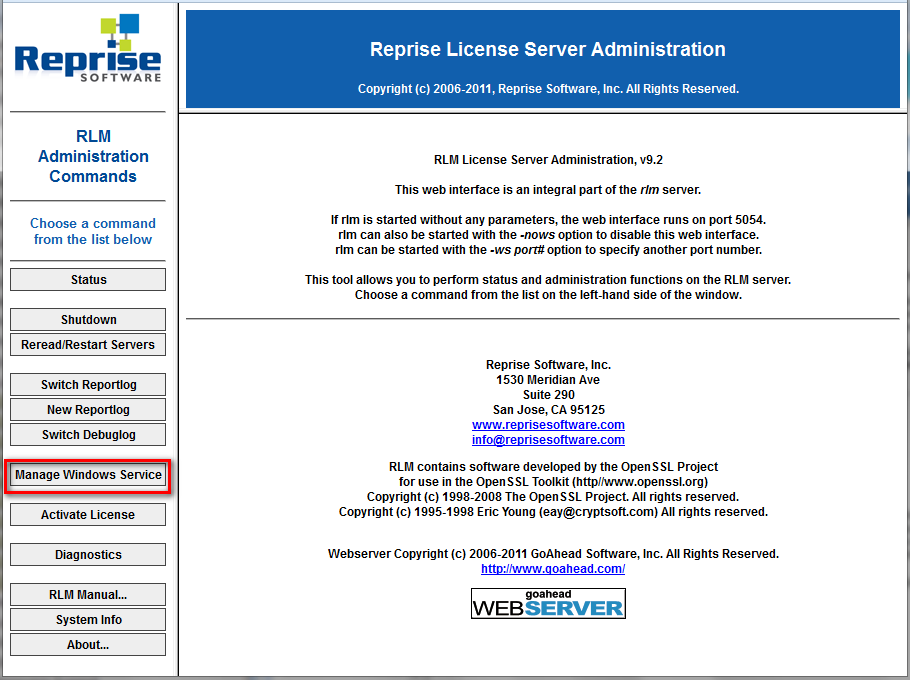
1.Open License Server web interface in Internet Explorer:
2.Click on “Manage Windows Service”.
You should see a screen similar to below.
Default settings are usually fine. Click “Apply” and it should configure License Server as a service with following confirmation message:
Notes: ➢Configured service will automatically start next time you boot the computer. However if you want to start the service immediately, you must do so manually: Go to Control Panel -> Administrative Tools->Services. Find the License Server service (default name is RLM). Double click to bring up service Properties page. Click “Start” to manually start this.
➢You can also use this feature to remove License Server running as windows service.
|