Remove Warning Messages when Process Runner Connects to SAP GUI
This topic describes how to remove the pop-up message that is displayed repeatedly during the GUI Scripting Process file run. You can disable these pop-ups from Process Runner and the same settings are automatically saved in SAP.
To disable the pop-up messages
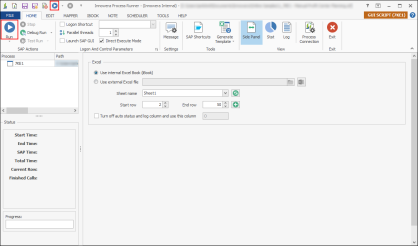
- Open any GUI Scripting Process file and select Run.
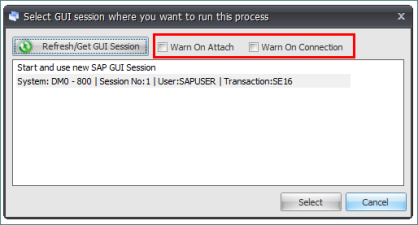
- Clear the Warn on attach and Warn on Connection options.
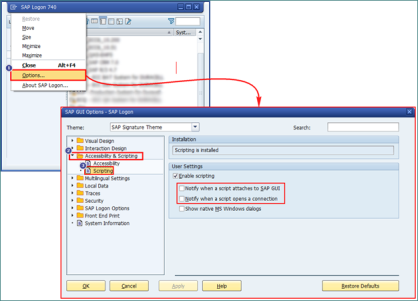
- Select the SAP session and select Select. The settings are reflected in Option > Accessibility and Scripting > Scripting in SAP Logon.
 Screenshot: Generate Excel Template window