Send Email Notification of Data Extract Using Post-Run Script
This topic describes how to notify a user about the status of scheduled data extraction process using the post-run script functionality.
For more information about pre-run and post-run script feature, see Pre/Post Script.
To send email notification using post-script
- Open the Data Extractor file for which you want to send an email notification, select Edit > Post Script. The Pre-Run/Post-Run Process Settings window is displayed. For example, let us consider the MARA file that is in the
\\My Documents\Innowera\Samples\folderpath. - On the Post-Run iScript tab, select Post-Run Process and select Internal Script from the dropdown list.
- Select Insert Sample code and confirm that you want to include the sample code.
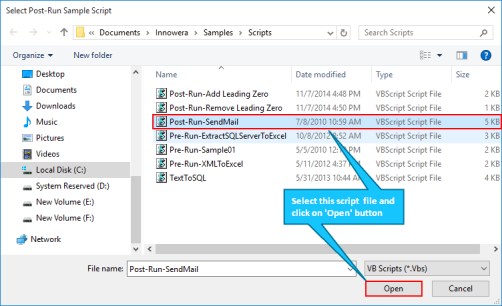
- Select the
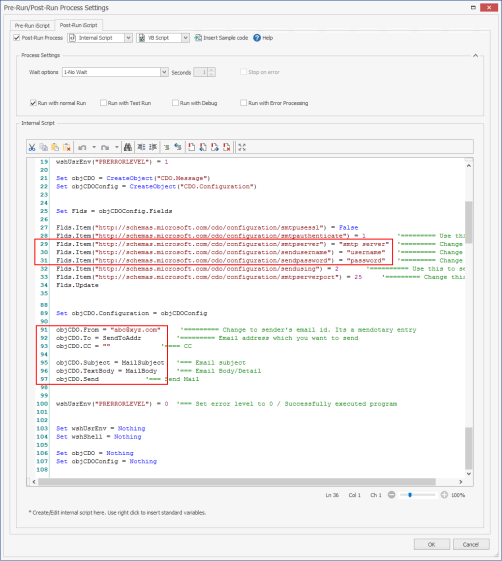
Post-Run-SendMailscript file fromSamples\Scriptsfolder and select Open. - Change the email settings according to your mail server.
- Select OK. The changes to the script are saved.
- Schedule this Process file and save it. When your scheduled file runs successfully, it sends an email automatically to the recipient configured in the script.
 Screenshot: Post-Run-SendMail from Samples\Scripts folder