Log


|
Log |
|
|
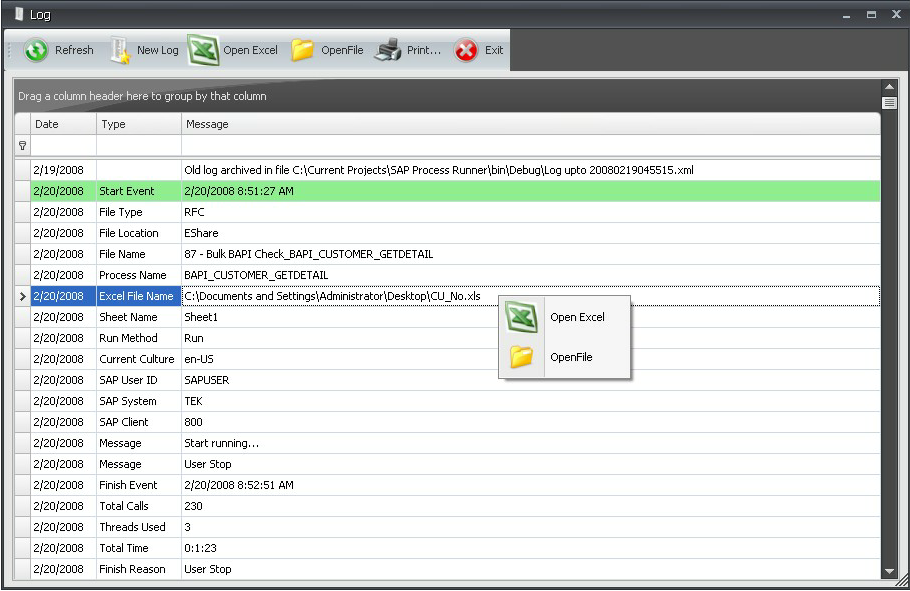
Log displays the details of each of the run calls you have executed so far. Each time you execute the run, a Start Event is logged followed by details of each of the important steps for that run. Following is an example of simple Log file.
Log Tool Bar:
• Refresh: Refresh current Log File for latest updates.
• New Log: Creates a new Log File, old Log File will be archived.
• Open Excel: Open Excel File relevant to a particular File in Log. It will open the Excel file only if the Excel File Name row (in Type column) is selected for that file.
• Open File: Open the file from Log entry. It will open the file only if the File Name row (in Type column) is selected for that file.
• Print: Print entire Log.
• Exit: Exit Log.
|