Map Excel columns and cells to SAP fields


|
Map Excel columns and cells to SAP fields |
|
|
** Note: Please refer Header Detail (Loop) Mapping Types for more detail on Loop mapping Types.
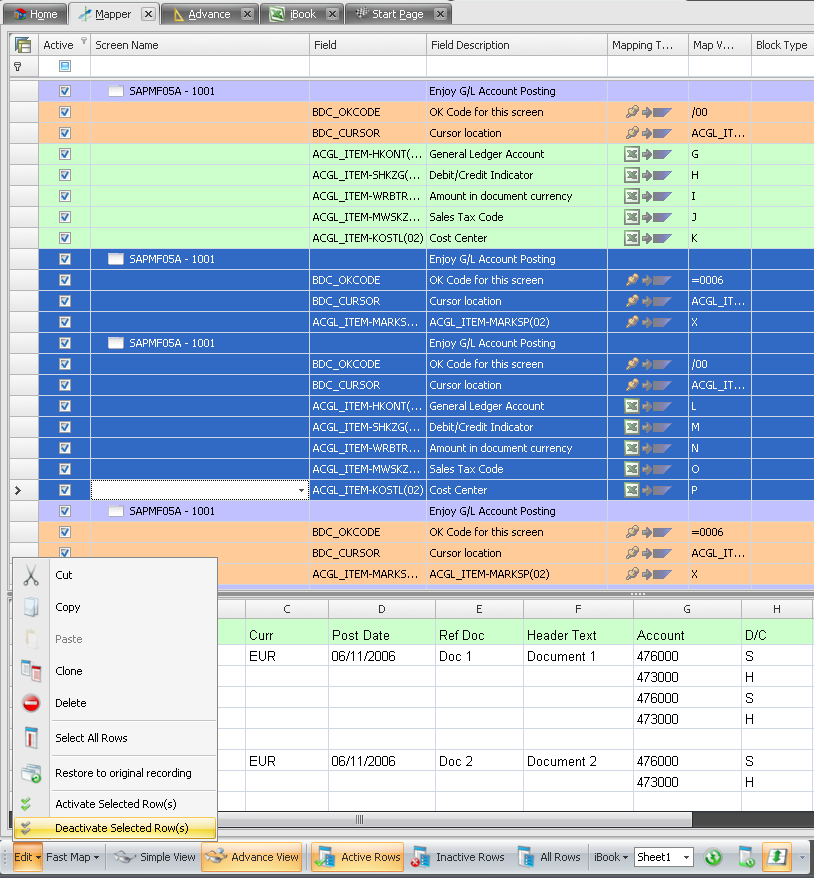
a) You will see that Process Runner automatically maps the fields to Excel Data File that we specified in New Wizard during recording.
b) Click on advance view in Mapper toolbar below.
c) Deactivate the entire mapped screen for the second item we inserted to balance the recording. That was just for the purpose of exiting out of the SAP screen, we do not need those screen.
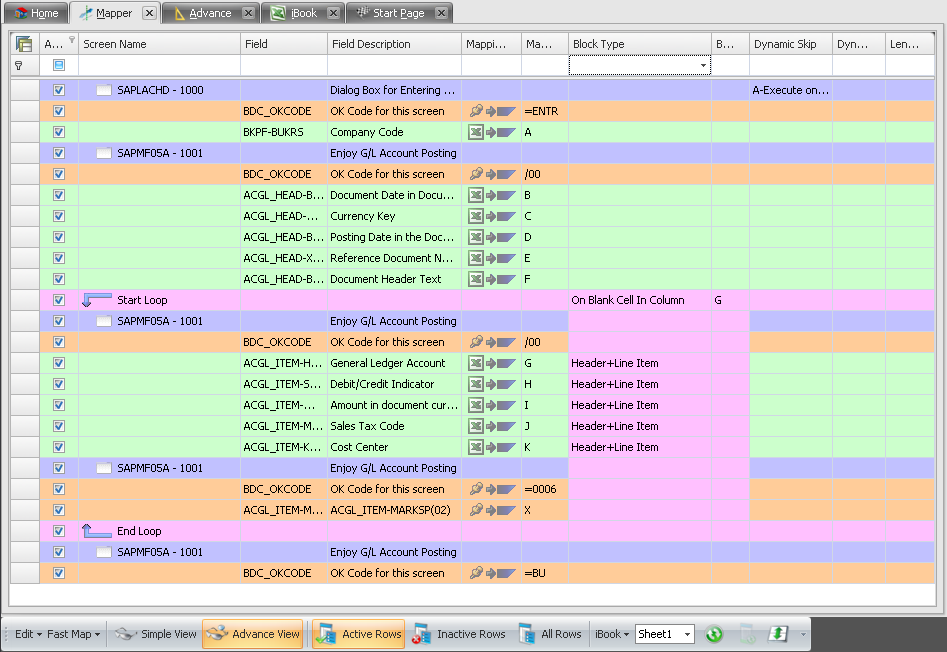
d) Exclude the header items & enter Start loop & end loop for the line items.
e) In the Start loop row for block type column select On Blank cell in column & block value as G as we will differentiate the multi-line documents with a space between each document.
f) To review it, finally your Mapper should look something like below
Next Step
|