Custom DS on Field


|
Custom DS on Field |
|
|
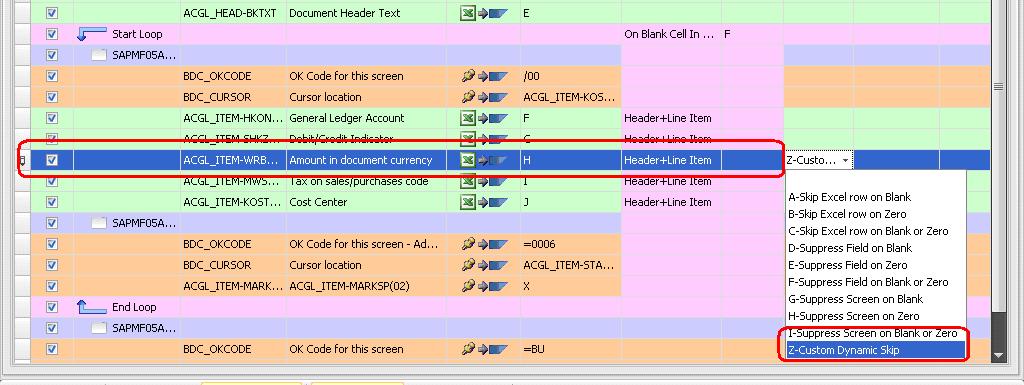
The above 3 types just mentioned were the built in DS types provided in Mapper. What if we want to check the values “on the Fly” during Run time & perform some action based on that? Custom DS is the answer. Select “Custom Dynamic Skip” from the drop-down for amount field.
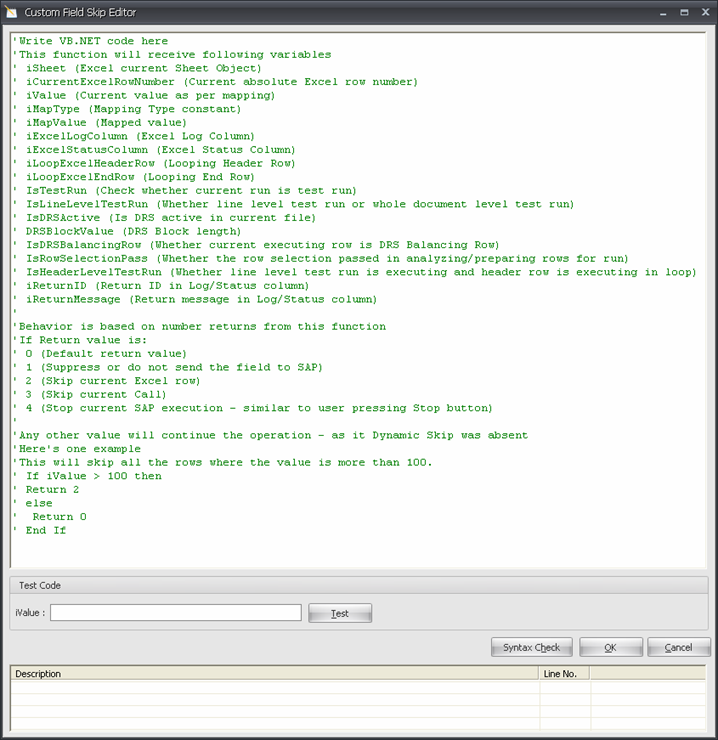
Custom DS screen will pop-up. This is a small IDE, where users can write their VB.Net code to perform various Run-Time actions based on the data they put in their excel data sheet. Besides the inbuilt DS types that we discussed before Custom DS also supports various options.
Let us understand the pre-defined variables and return types that can be used in Custom DS on field with VB.Net code.
Variables:
0: Default return value. This will tell Process Runner to send the row to SAP and not suppress it.
1: Suppress or do not send the field to SAP. This will tell Process Runner to suppress a row and will not send it to SAP.
2: Skip current excel row. This will tell Process Runner to skip a row and not send it to SAP.
3: Skip current call. This will skip one entire call to SAP.
4: Stop current SAP execution. Similar to pressing Stop button in Process Runner.
Example:
If Trim(iSheet.Cells(iCurrentExcelRowNumber, "i").Text) = "31" Return 0 else Return 1 End If
The above code tells Process runner if there is “31” in column “I” for the current row in current sheet then only execute (Return 0) the row else suppress (Return 1) it.
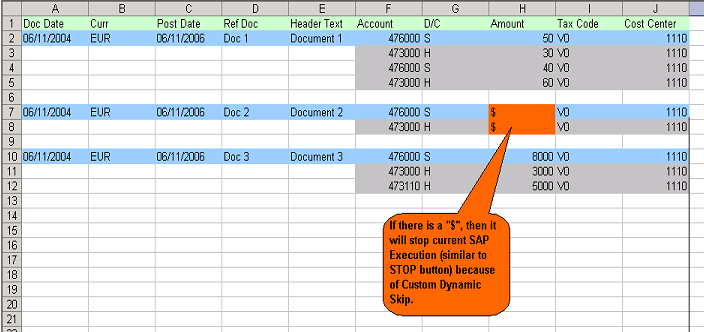
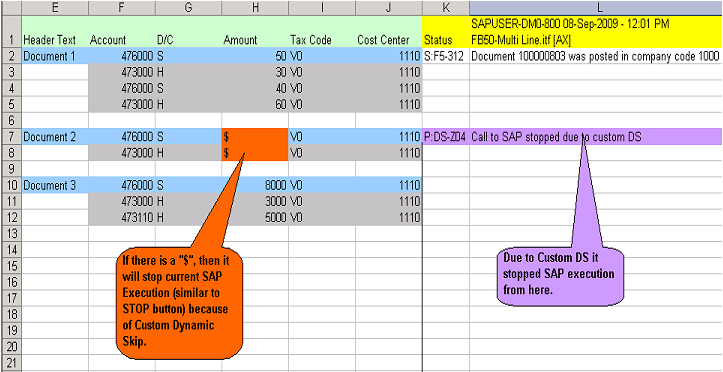
Here we will see a small example that if we encounter “$” in amount field it should stop the transaction.
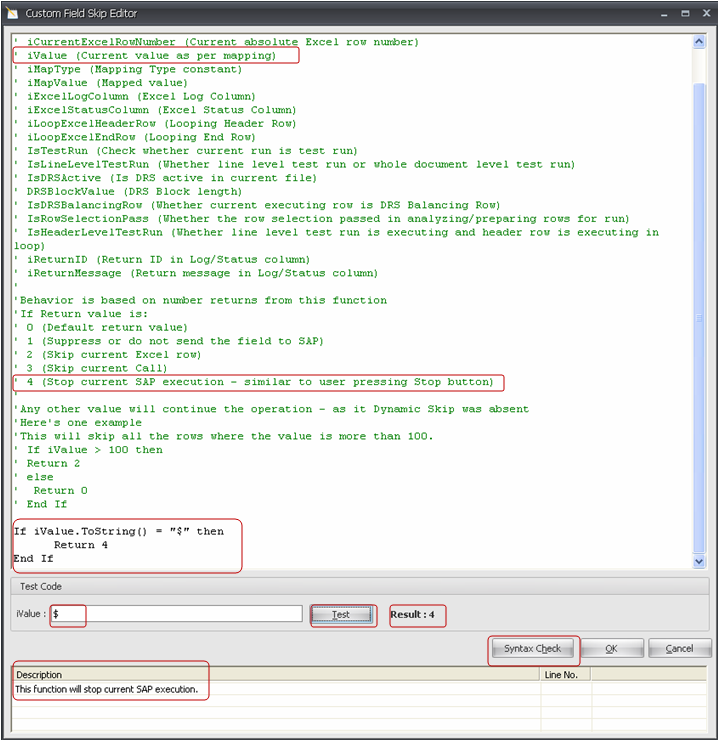
iValue contains the field value for which we have defined Custom DS. It’s “amount” here.
Following is the VB.Net code: If iValue.ToString() = “$” then Return 4 End If
Returning 4 will stop the transaction there itself. To test your code, enter $ in iValue & click on Test button.
It will display Result: 4 (the return value). Look at the description below it.
** If there is any Syntax error in your code it will also notify about that.
Click on OK button.
Run it.
|