SAP System list does not match


|
SAP System list does not match |
|
|
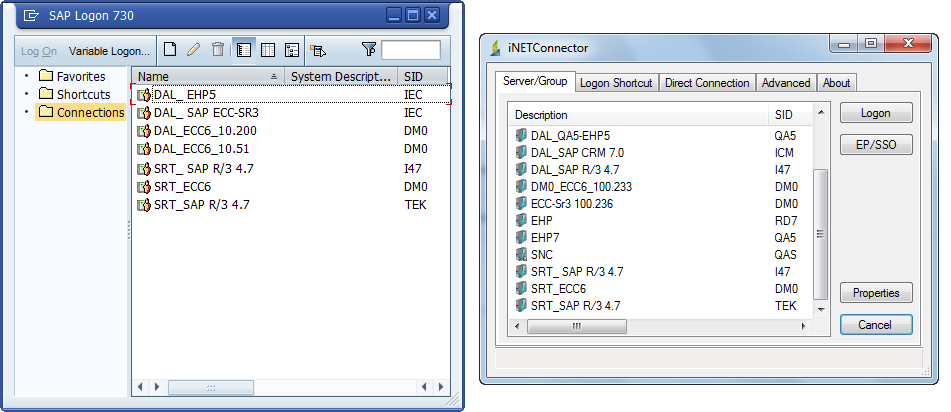
Sometimes you may find that SAP systems available via SAP GUI are different from SAP systems available in Process Runner.
This error usually happens where you have more than one saplogon.ini files on your computer/network and iNETConnector is pointing to a different saplogon.ini file.
Sometimes it may also happen that your saplogon.ini file may not be in the default path that iNETConnector picks up. In that case SAP system list in iNETConnector would be totally blank as shown in below screenshot.
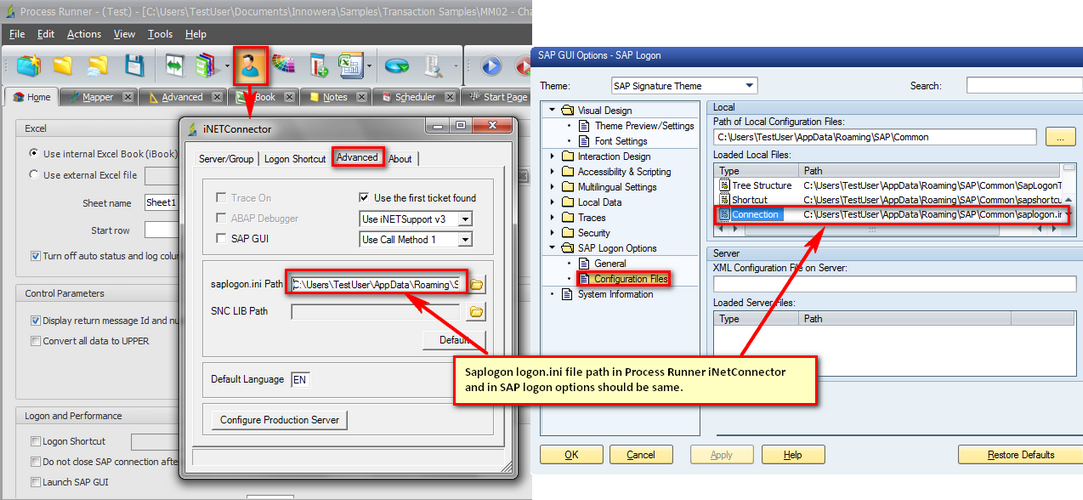
To resolve this error, follow the below mentioned steps. Please check the saplogon.ini file path in SAP system and make sure it is same as in Process Runner iNetConnector saplogon.ini path.
If the saplogon.ini path in iNETConnector and SAP Logon pad is same and still you are not able to view the list of SAP system then follow the below mentioned steps:
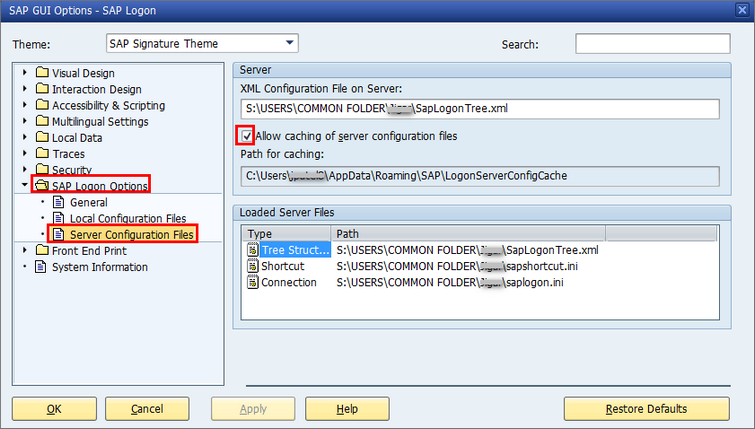
It is also possible that saplogon.ini and SapLogonTree.xml are stored in a shared location on a server and SAP Logon configured on the user workstation to use these shared files instead of the local ones. To check the server configuration files, go to SAP Logon -> About -> SAP Logon Options -> Server Configuration Files. If the server configuration file (i.e. the xml file) is set as shown in below screenshot, all the server configuration files (SapLogonTree.xml, saplogon.ini, sapshortcut.ini if existing) will be cached by default. The cache folder is %APPDATA%\SAP\LogonServerConfigCache.
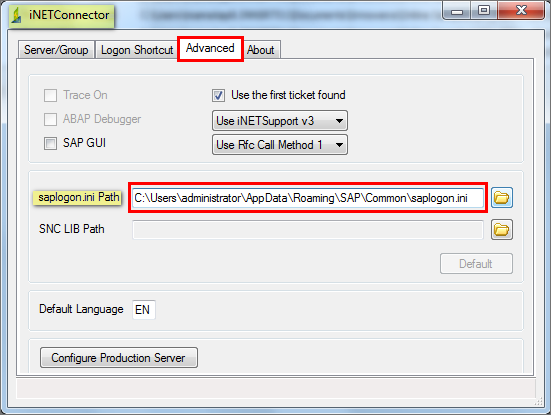
If 'Allow caching of server configuration files' option is enabled in the SAP Logon Options → Server Configuration Files dialog, map the caching path in the 'Saplogon.ini path' field in iNETConnector window of Process Runner as shown in step B. If you have Process Runner ver 4.20.106.XXX onwards, the sap logon file path is pre populated in the "Server Path" in the iNetConnector -> Advanced tab.
If you still face issue then please contact support@innowera.com. In the meanwhile if the above approach does not work, try Direct Connection method to logon to SAP.
Next: |