Resolving iNetConnector 'SNC file not found' Error


Resolving iNetConnector 'SNC file not found' Error |
|
|
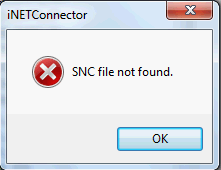
If you are logging to SAP via SNC (Secured Network Connection), you may face an issue logging to SAP from Process Runner. Process Runner may indicate "SNC Error" within iNETConnector window, similar to one below.
Background Information/Cause: Process Runner cannot find SNC Library file because either it is not in default path or there is no environment variable set to tell it where to look. The reason SAP GUI can find it because, it was told where to look for SNC Library.
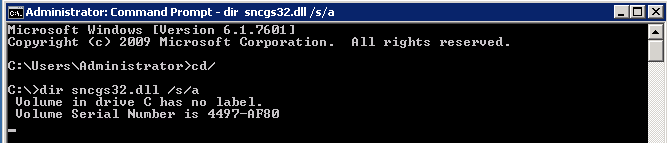
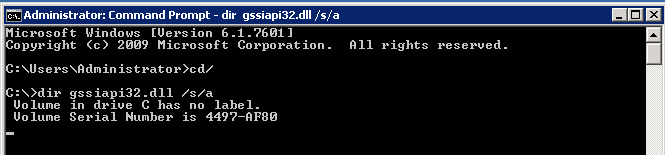
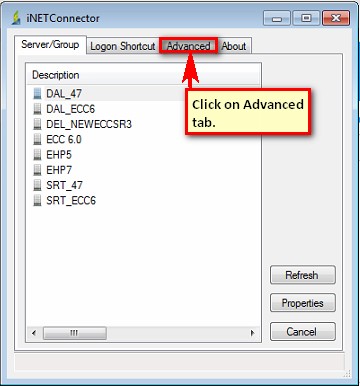
Solution: To resolve this issue, follow the below steps to tell Process Runner where to find SNC Lib file. 1.Find sncgs32.dll file on your computer.
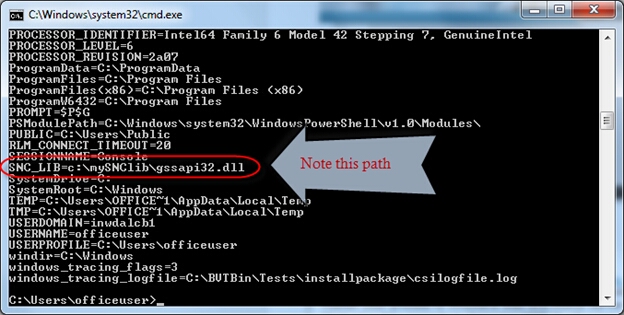
2.If you cannot find above mentioned file, go to Command Prompt (Run->CMD) and type SET and press ENTER.
**Please note the path for SNC_LIB environment variable in above screenshot and move to step 4 to set this path in Process Runner. 3.Set the path (found from step 1 or 2) in Process Runner/iNetConnector.
4.If you still face this issue, then please send screenshot of the error message you received prior to above given steps to support@innowera.com
Click here, if facing ' SNC name for RFC/CPIC does not exist in any ACL error' while logging to SAP via SNC.
Next: Resolving SNC name for RFC/CPIC does not exist in any ACL error |