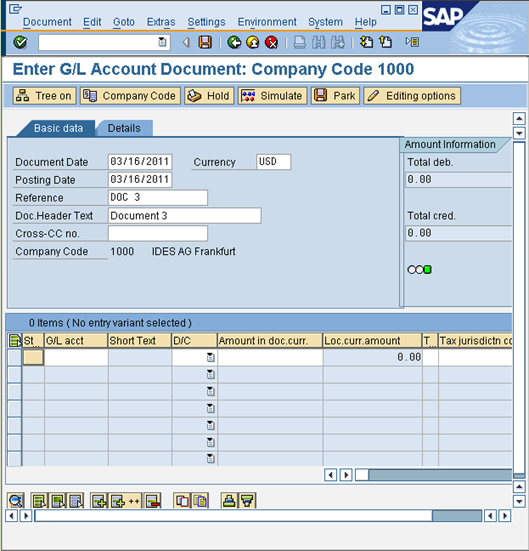
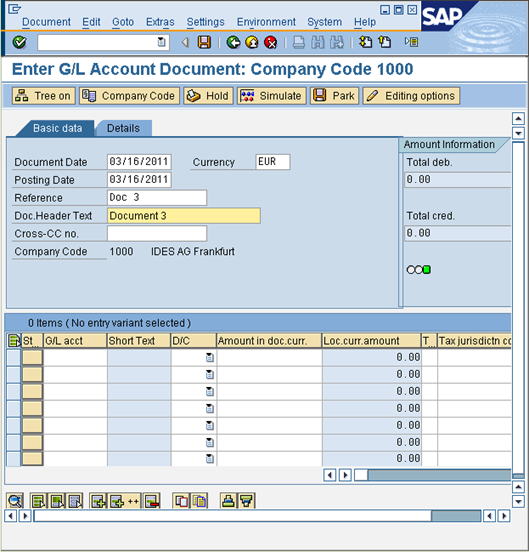
a)Enter Document, Currency, Posting Date, Reference & Doc Header Text. b)Click on Enter. (You might have to do it twice or thrice)
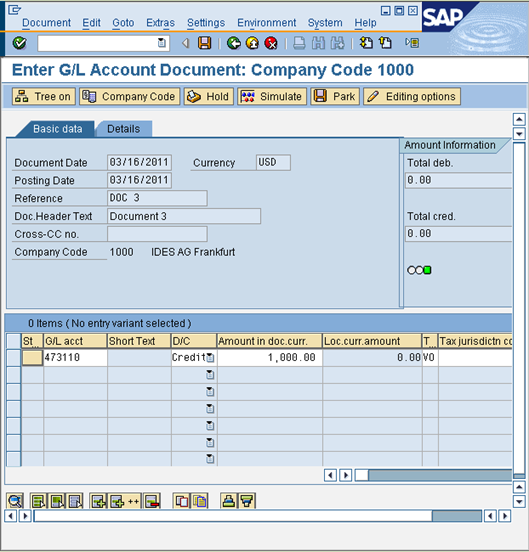
c)In the items grid below, enter (refer our excel data file) G/L Acct., D/C (H-Credit, S-Debit), Amount, Tax Code starting from the second row in grid. Loop recording is tricky as you have to select a row where you enter data and then click “insert” or “new record”. When you do so, SAP usually pushes everything up (or sometimes down) and keeps 2nd row empty so you can enter new record there. This is standard SAP behavior. In some transaction this happens on 1st row. Now if you enter something in 1st row and click insert, that row is already filled in. If you try to insert something in 1st row again, it will tell you that field cannot be changed (or something similar). Because it thinks that you are trying to change data in 1st row.
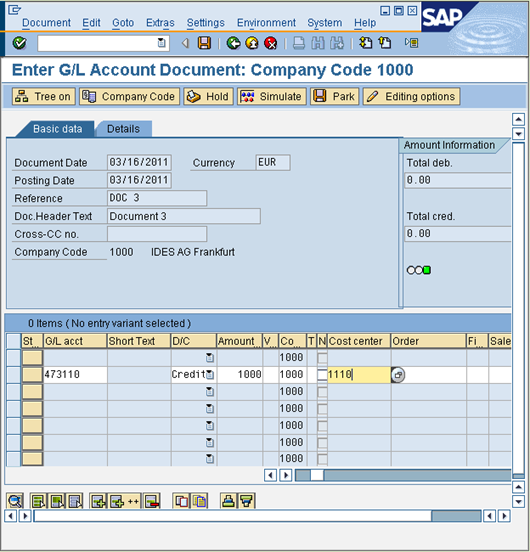
d)Finally enter Cost center & hit Enter as shown below.
e)In the Status column (first column beside G/L Acct.).Click on it so that you get a validation Check mark.
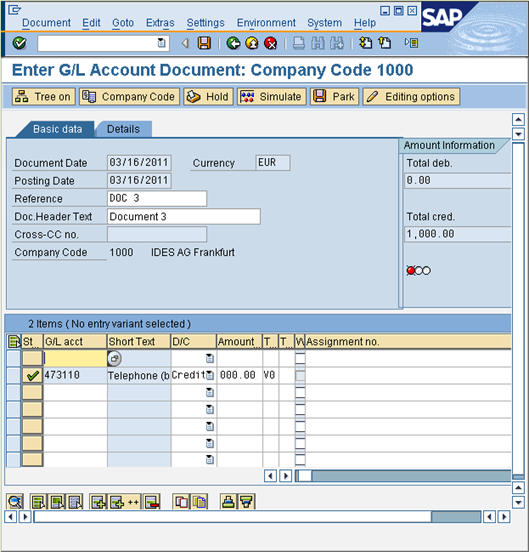
f)Select the record that you just inserted & click on Add Items. g)Repeat Steps (c) to (f) in order to balance the amount just entered. (Otherwise SAP won’t allow you to exit out of screen without balancing the amount)
|