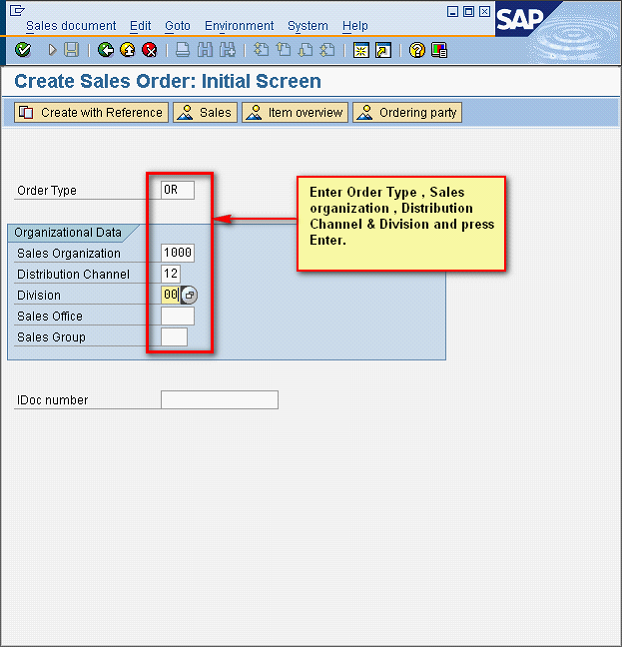
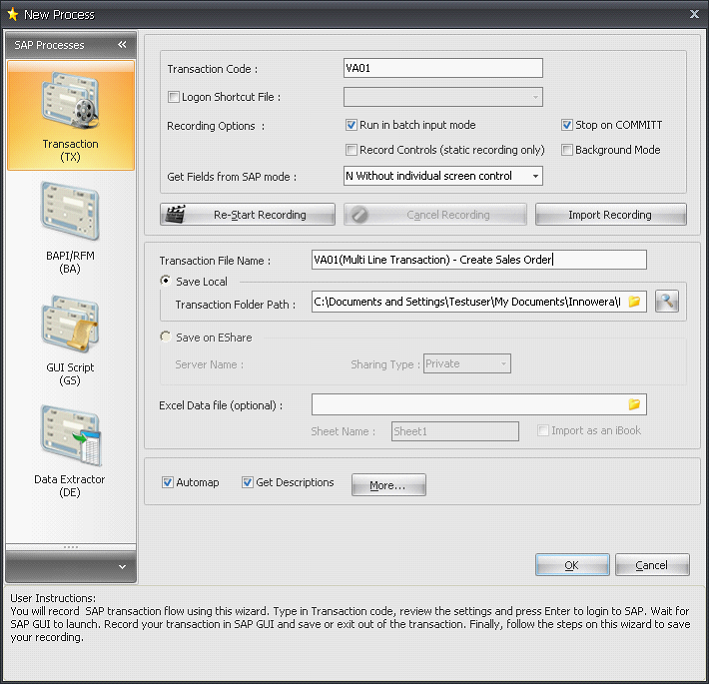
1.After entering the SAP TCode VA01, you will be presented with Create Sales Order: Initial screen in SAP.
2.Enter data in the Order Type, Sales Organization, Distribution Channel & Division fields corresponding to the excel data file.
3.Press Enter.

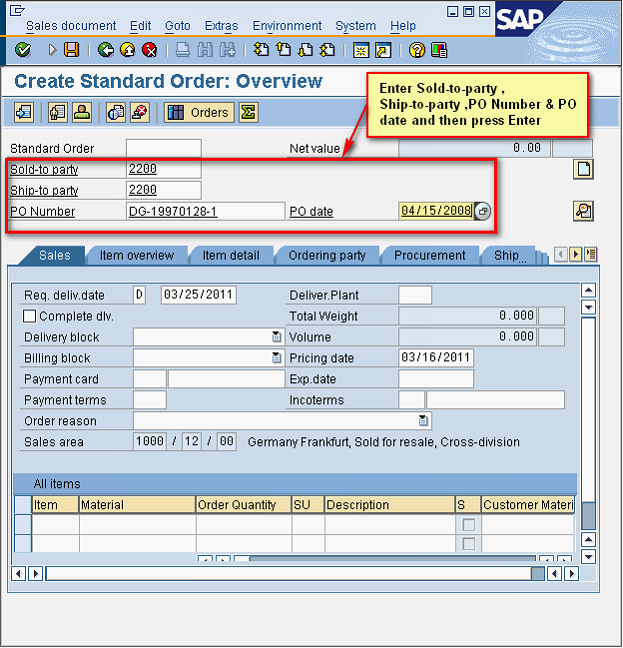
4.'Create Standard Order:Overview' screen is displayed to enter more details for creating a Sales Order.
5.Enter relevant data in the Sold to Party, Ship to Party, PO Number and PO Date fields corresponding to the excel data file.
6.Press Enter.

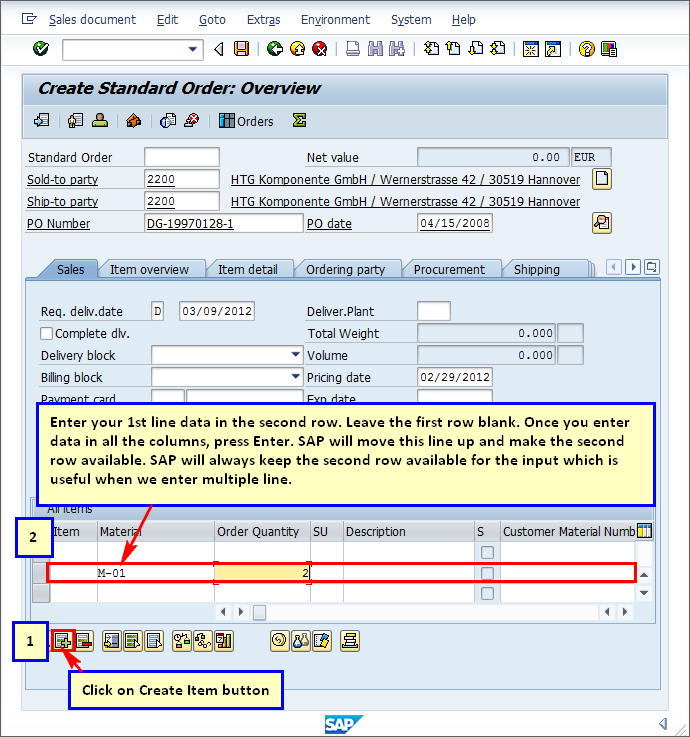
7.Loop recording is tricky as you have to select a row where you enter the data.Click on "Create item". Insert first row of your excel data in the 2nd row of SAP Sales Order line item screen as per the below screenshot. 8.Enter data in all the columns and press Enter.
9.The data is moved to the first row. SAP usually pushes the row up and makes second row available all the time so that you can enter new record there. This is a standard SAP behavior.This makes it easier when we enter multiple lines .

10.Click on save button in SAP.
|