How to enable scripting in SAP


How to enable scripting in SAP |
|
|
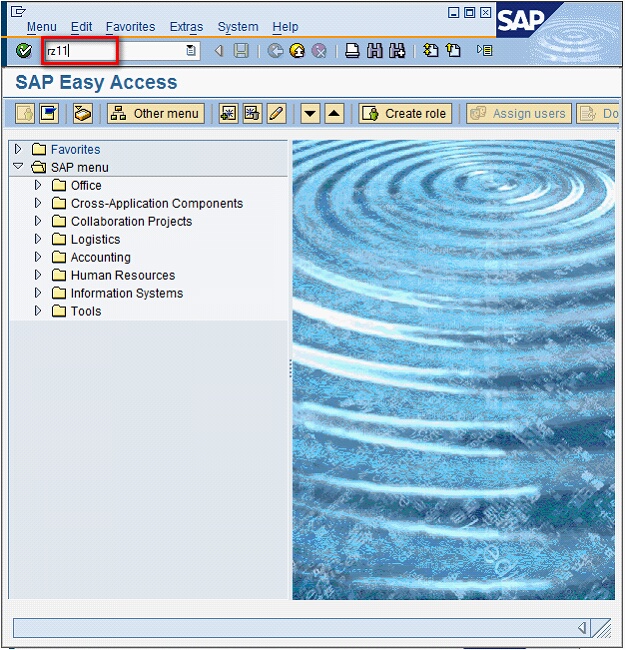
Follow the following steps of procedure to enable Scripting in SAP. 1.Start SAP logon and log in to the SAP Server. 2.Start RZ11 transaction.
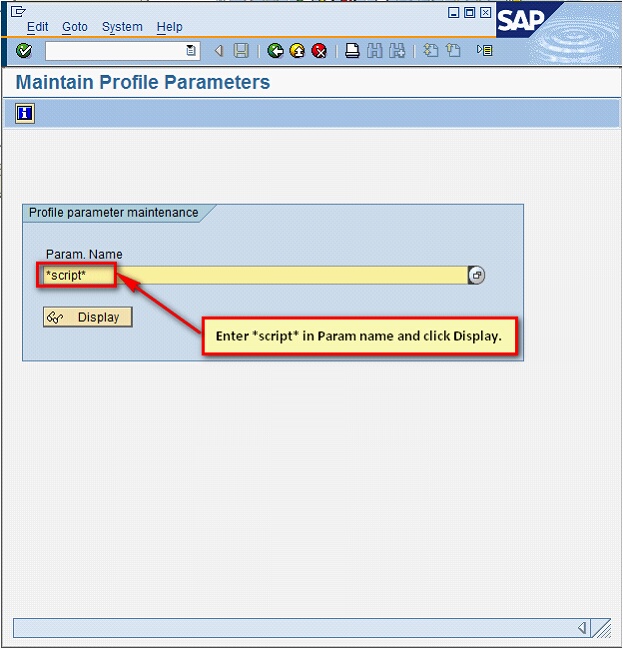
3.In Param Name enter, *script* & then click on Display.
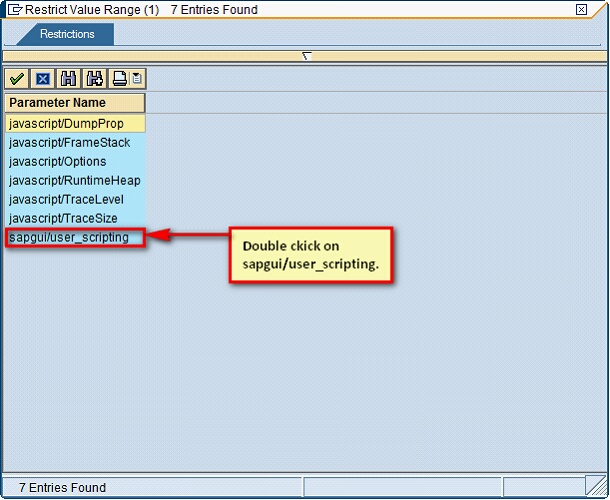
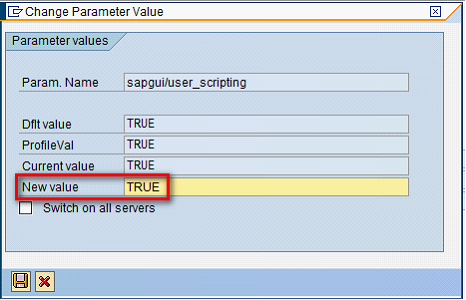
4.Double click sapgui/user_scripting.
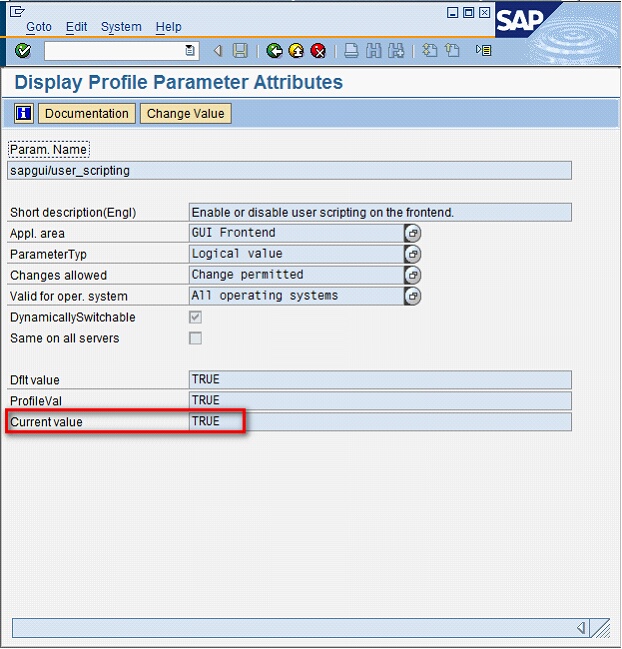
5.If scripting is not on, your Current value will be FALSE. Click on Change Value.
6.In the New Value, change it to TRUE and save the settings.
Click here to go to GUI Scripting tutorial which gives a basic understanding of how to use GUI Scripting with Process Runner. Next: How to resolve Scripting support is not installed error message
|