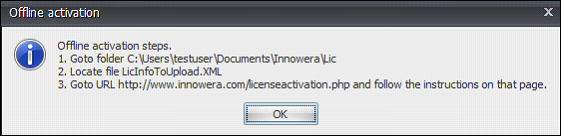
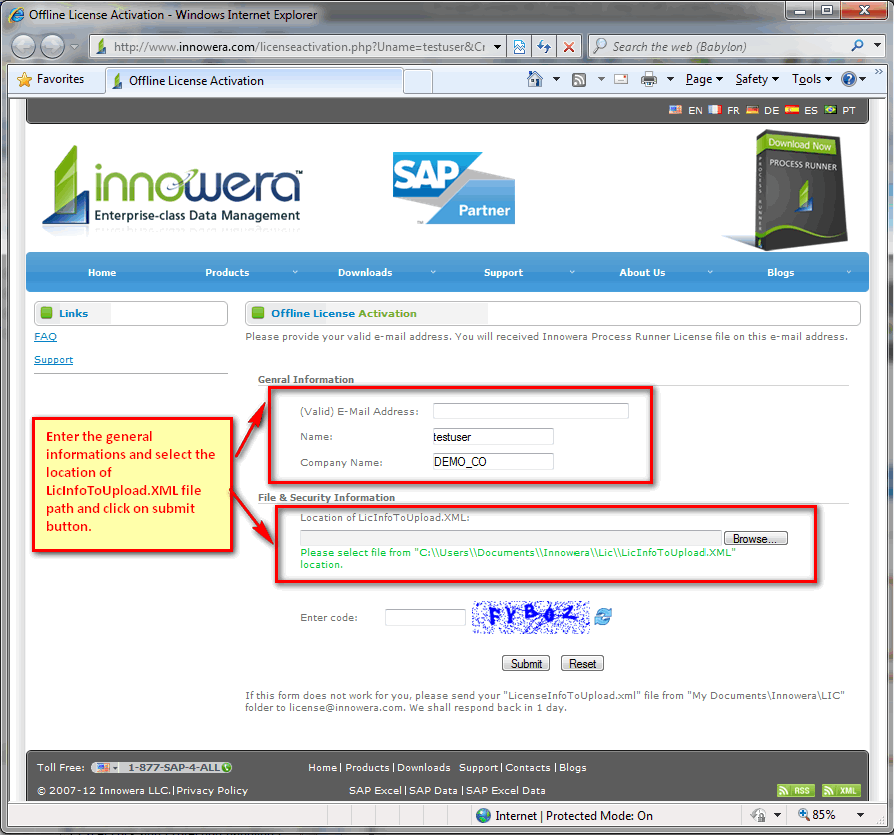
Follow any of the below mentioned procedure to activate your Process Runner license online.
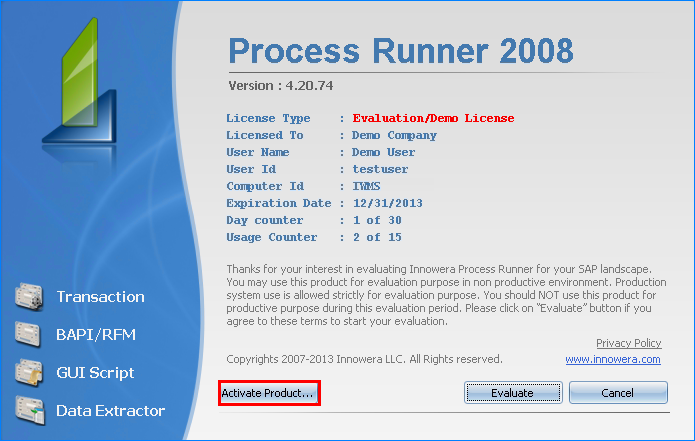
A.Activate the license through Splash screen
a.Click on ‘Activate Product’ button to activate Process Runner license.
b.‘Innowera License Activation’ window is displayed.
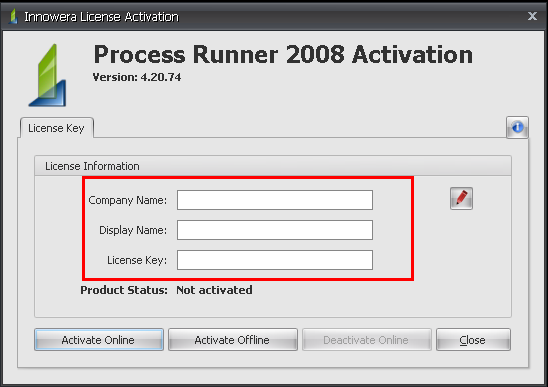
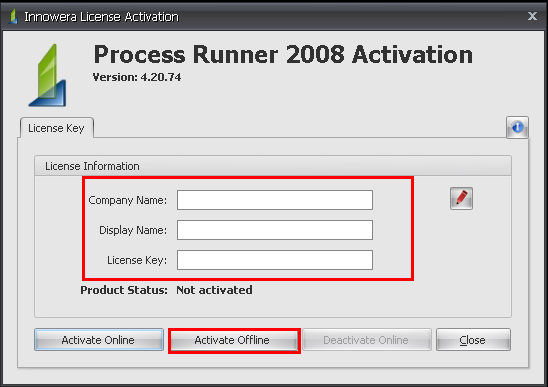
c.Enter the following information in the Innowera License Activation window. Click on the pencil icon  if the fields are not editable. if the fields are not editable. •Company Name: Enter the Company name that you want Process Runner to display when it starts. •Display Name: Enter the name that you want Process Runner to display when it starts. For e.g: John Smith •License Key: Enter the license key as provided by Innowera.
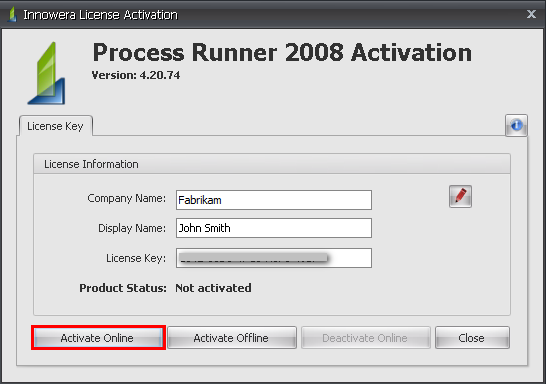
d.Click on ‘Activate Online’ button.
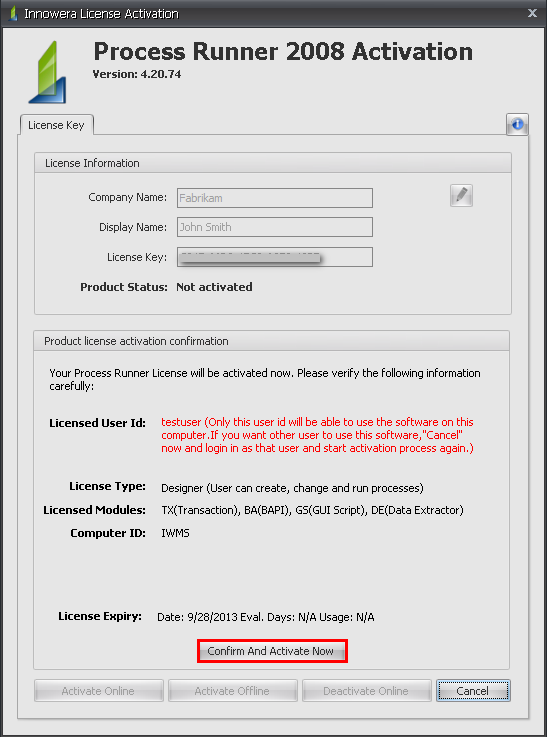
e.Click on ‘Confirm And Activate Now’ button under the Product license activation confirmation section to activate the license
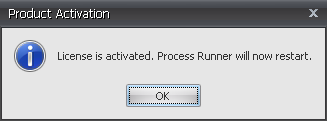
f.Product activation window is displayed and Process Runner will restart.
B.Activate the license from Process Runner Help -> Manage License
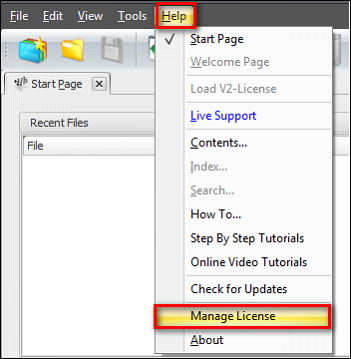
In the 'Innowera License Activation' window enter the Company Name, Display Name that you want Process Runner to display when it starts. Enter license key provided by Innowera and activate the license. Click on the pencil icon to edit the fields if required.
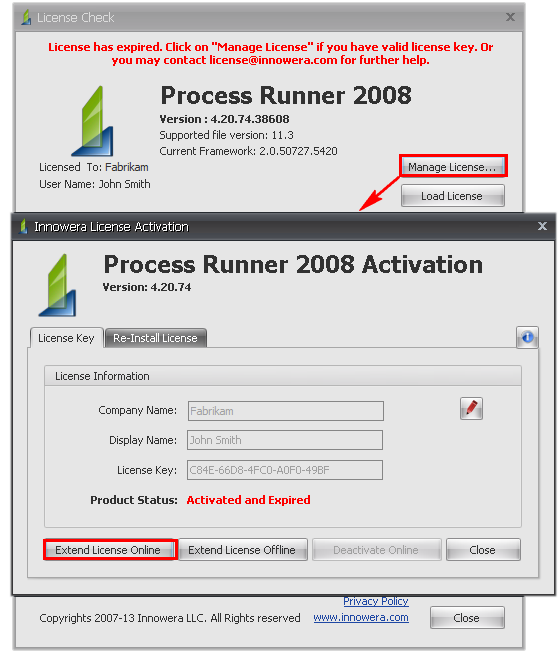
C.Existing license has expired
When you see a License Expiration window, click on "Manage License" to start License activation process.It will open the ‘Innowera License Activation’ window. Click on Pencil icon to edit the fields if required.Enter the Company Name, Display Name.Enter the License key provided by Innowera and click on ‘Extend License Online’.
D.Send your mail to license@innowera.com for license related any query. |