How to Read or Download data from SAP Transaction fields


How to Read or Download data from SAP Transaction fields |
|
|
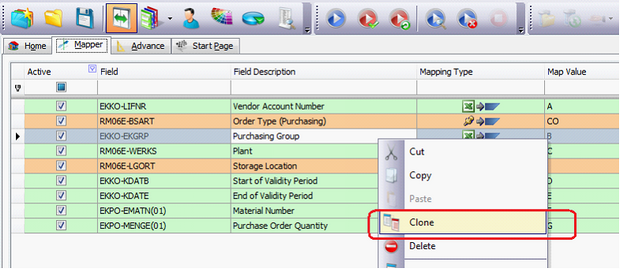
You can download field values from SAP transaction screens using Process Runner. 1.First clone or duplicate the field that you want to download to Excel.
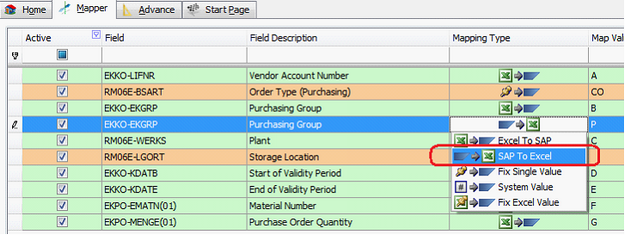
2.Change the mapping on duplicated field to “SAP to Excel” and assign a correct Excel column.
3.When you run this file, value of Purchasing Group will be downloaded to assigned column P.
Next: |